If you run social media for a living — an agency with a dozen client accounts, a brand manager overseeing several regional profiles, or a creator with a main account plus niche side projects — you have almost certainly hit the same wall: log into too many accounts from the same connection and the platform starts treating you with suspicion. Verification loops, shadowbans, action blocks, and in the worst case permanent suspension. The root cause is usually not what you posted. It’s where the platform thinks the login came from.
This guide explains why social platforms treat IP addresses as a trust signal, why datacentre and even residential IPs are a liability for multi-account work, and how a one-IP-per-account setup using UK mobile proxies and sticky sessions lets you manage many accounts cleanly and safely. For the basics on what mobile proxies are, start with our introduction first.
Why Platforms Treat IPs as a Trust Signal
Social networks — Instagram, TikTok, X, LinkedIn, Pinterest — spend enormous effort detecting inauthentic accounts, because fake accounts are the foundation of spam, fraud, and manipulation. One of the earliest and cheapest signals they use is the IP address a session comes from. A single IP logging into fifteen accounts, or an account that was in London yesterday and in a Lagos datacentre today, is exactly the pattern anti-fraud systems are built to catch.
The strength of that signal depends entirely on what kind of IP it is:
| IP source | How platforms see it | Multi-account risk |
|---|---|---|
| Datacentre (AWS, DigitalOcean, VPN providers) | Obvious non-human infrastructure; flagged on sight by most anti-bot stacks | Very high |
| Residential (home broadband) | Looks like a real home connection; better, but botnet-residential ranges are watched | Medium |
| Mobile (real carrier SIMs) | Indistinguishable from a genuine smartphone user; shared via CGNAT among thousands of real users | Low |
The key property of mobile IPs is Carrier-Grade NAT (CGNAT): mobile networks share a single public IP across thousands of real phones at once. When a platform sees a login from a mobile IP, it cannot block or challenge that IP without risking thousands of legitimate users on the same connection. That structural trust advantage is why mobile is the highest-trust proxy category — covered in depth in our mobile vs residential comparison.
The Core Principle: One Stable IP per Account
Once you accept that IP is a trust signal, the right architecture for multi-account management is obvious, and it is the opposite of what most people do:
- Wrong: many accounts, one IP (your office Wi-Fi, a single VPN, or one rotating pool). The platform sees fifteen identities behind one address and assumes a bot farm.
- Right: each account on its own stable IP that does not change between sessions, and that looks like a real connection in the account’s expected location.
Stability matters as much as uniqueness. An account that logs in from one IP today and a different IP tomorrow trips the same “suspicious login” checks that fire when you book a flight from a new country. What you want is for each managed account to look like a consistent person, on a consistent connection, in a consistent place — because that is exactly what a genuine user looks like.
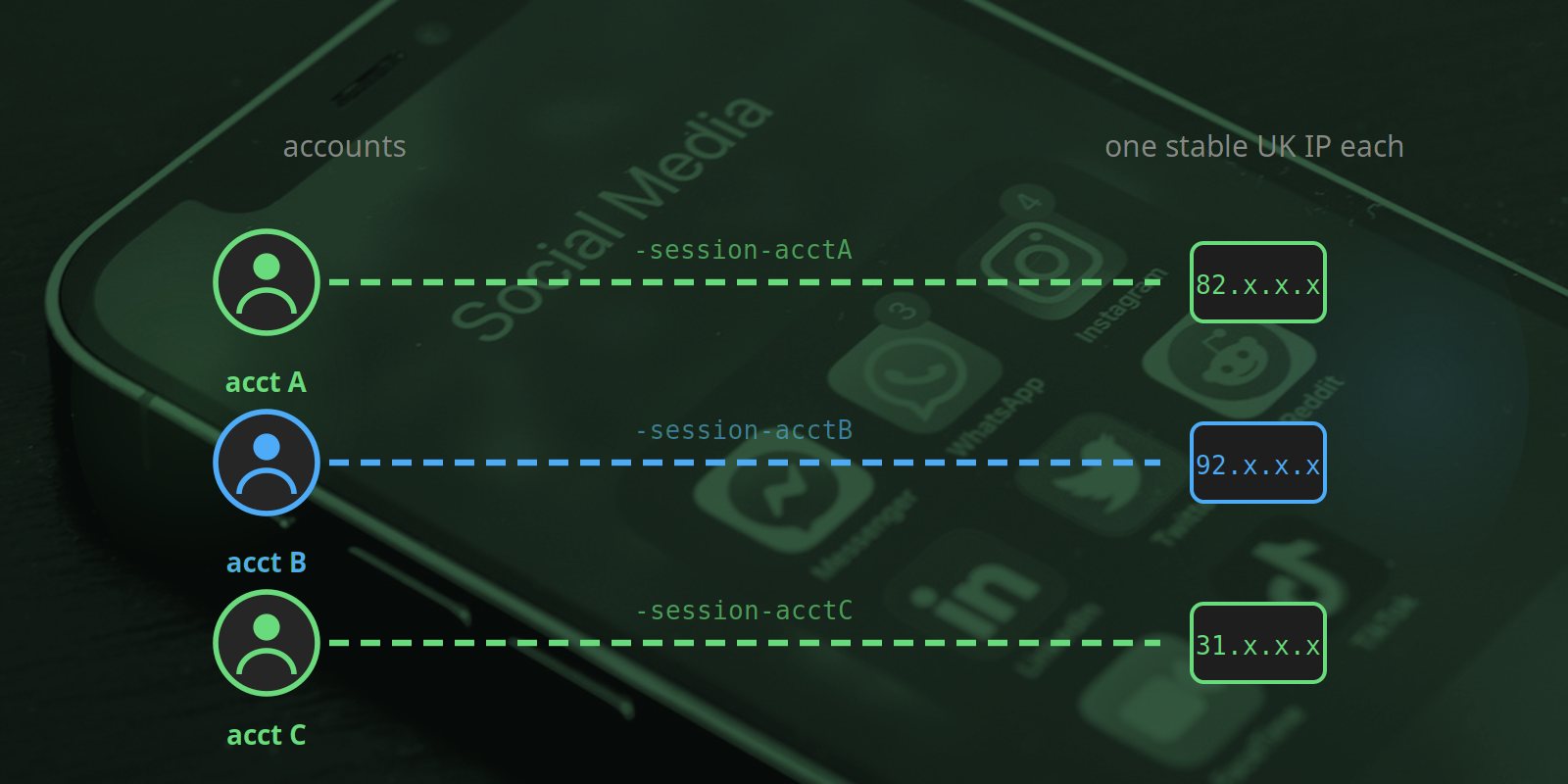
UK mobile proxies solve both halves at once: each account can be pinned to its own UK carrier IP (uniqueness), and with a sticky session that IP holds steady across logins (stability) — matching the UK location a UK account is expected to appear from.
How sticky sessions make one-IP-per-account trivial
The mechanism is a simple suffix on the proxy username. Append -session-<id> with a unique id per account, and every connection carrying that id exits the same device, same IP for up to two hours by default (longer windows available). So one managed account maps to one session id, which maps to one stable UK mobile IP:
# Account A — always the same UK IP
curl -x socks5h://USER-session-acctA:PASS@proxy.simplyproxies.com:6890 https://api.ipify.org

# Account B — a different, equally stable UK IP
curl -x socks5h://USER-session-acctB:PASS@proxy.simplyproxies.com:6890 https://api.ipify.org
Reuse the same id each time you work on that account and you reuse the same IP; the platform sees a single, consistent connection. Full setup details (HTTP and SOCKS5, custom windows up to 12 hours, browser configuration) are in the documentation. Sticky sessions are free for every customer, not a paid tier.
Platform-by-Platform Notes
Every platform weighs signals slightly differently, but the mobile-IP + stable-IP combination helps on all of them.
Instagram / Meta
Instagram is the most aggressive about IP and device fingerprinting — it has to be, given the scale of fake-account abuse it faces. Logging several accounts out of one datacentre IP is near-guaranteed to trigger an action block or a verification loop within days. The safe pattern is strictly one stable mobile IP per account, a distinct browser profile per account, and gradual warm-up of any new account (don’t follow 200 people in the first hour). Avoid sudden geographic jumps: a UK account should keep appearing from the UK.
TikTok
TikTok leans heavily on network and device signals and is particularly sensitive to mismatches between an account’s declared region and its connection. Mobile IPs are especially effective here, because TikTok’s own user base is overwhelmingly mobile — a mobile carrier IP is the most “normal” possible source. Keep one stable IP per account and avoid mixing regions.
X (Twitter)
X combines IP with device and behavioural signals. A stable mobile IP per account reduces the “new login location” challenges that interrupt legitimate work, and the carrier IP keeps the accounts out of the datacentre blocklists X maintains. As ever, the proxy is one input — sensible rate limits and a separate profile per account do the rest.
LinkedIn is the strictest of the mainstream platforms and the most willing to restrict accounts pre-emptively. If you manage multiple client or employee profiles, a dedicated UK mobile IP per profile is close to mandatory, and automation should be kept to an absolute minimum — LinkedIn’s terms are tighter than the consumer platforms, and aggressive automation risks the profiles regardless of IP quality. Use proxies to keep connections clean and human-paced, not to scale outreach.
Pinterest / others
Pinterest monitors IP closely for bulk pinning and multiple-account patterns; the same one-IP-per-account discipline applies. The principle generalises: any platform that distrusts many-accounts-from-one-place rewards you for giving each account its own trustworthy, stable connection.
Best Practices Beyond the Proxy
A clean IP is necessary but not sufficient. Platforms read dozens of signals; to genuinely look like separate, legitimate users, layer these on top of one-IP-per-account:
- Separate browser profiles per account (or a dedicated antidetect browser). Each account needs its own cookies, local storage, and ideally a distinct fingerprint. Ten accounts in one browser profile still share a fingerprint even if the IPs differ.
- Warm up new accounts gradually. A brand-new account that immediately performs high-volume actions looks like a bot regardless of IP. Ramp activity up over days, not minutes.
- Keep geography consistent. A UK client’s account should appear from the UK on every login. Mobile proxies make this easy — just keep using the same UK endpoint.
- Pace like a human. The single biggest cause of restrictions is behaviour that no human would do (hundreds of actions per minute, activity 24/7). Rate discipline matters more than any proxy.
- Don’t reuse passwords or recovery details across accounts — platforms can correlate accounts by shared credentials and contact details, which defeats the purpose of separate IPs.
What This Is — and Is Not — For
Mobile proxies for social media are a tool for legitimate multi-account management: agencies running real client accounts, brands operating regional profiles, creators managing a main account plus a business account, in-house teams handling several brand properties. That is a mainstream, allowed use case — it is why tools like Buffer and Hootsuite exist.
They are not a licence to do the things platforms legitimately ban accounts for. Do not use this setup for fake engagement (likes/follows/views from bot accounts), coordinated inauthentic behaviour, ban evasion, scraping private data, or any kind of fraud. Aside from being against the platforms’ terms, those use cases attract exactly the scrutiny that gets IPs and accounts burned — and they are not what this service is for. The goal of one-IP-per-account is to let legitimate multi-account work look as normal as it actually is.
Why Simply Proxies Fits This Use Case
- Real UK carrier IPs. Each account exits through a genuine UK mobile network — the highest-trust IP category, ASN-verifiable on a free trial.
- Sticky sessions, free for everyone. The one-IP-per-account pattern is exactly what
-session-<id>delivers — one stable UK IP per account, up to 12 hours, no paid tier required. - HTTP + SOCKS5. Works with antidetect browsers, automation tools, and custom scripts alike. See the features page.
- Pay per GB. Agencies pay only for the traffic their staff actually generate — £2.00/GB, no monthly minimum. A social media manager’s traffic is light, so costs stay low; see pricing.
Summary
Managing multiple social accounts safely is fundamentally about looking like several separate, consistent, real users — and the IP address is the first signal every platform reads. Datacentre IPs flag you immediately, residential is better but watched, and mobile carrier IPs are the highest-trust option because they are indistinguishable from genuine smartphone users. Pair one dedicated UK mobile IP per account (via sticky sessions) with separate browser profiles and human-paced behaviour, and legitimate multi-account management stops tripping the systems designed to catch the opposite. Reserve the technique for genuine agency and brand work, and it simply makes normal activity look normal.
Give Each Account Its Own UK Mobile IP
500 MB free — enough to test one-IP-per-account sticky sessions against your real profiles.
Start Free Trial